Introducing the OBS Client Module
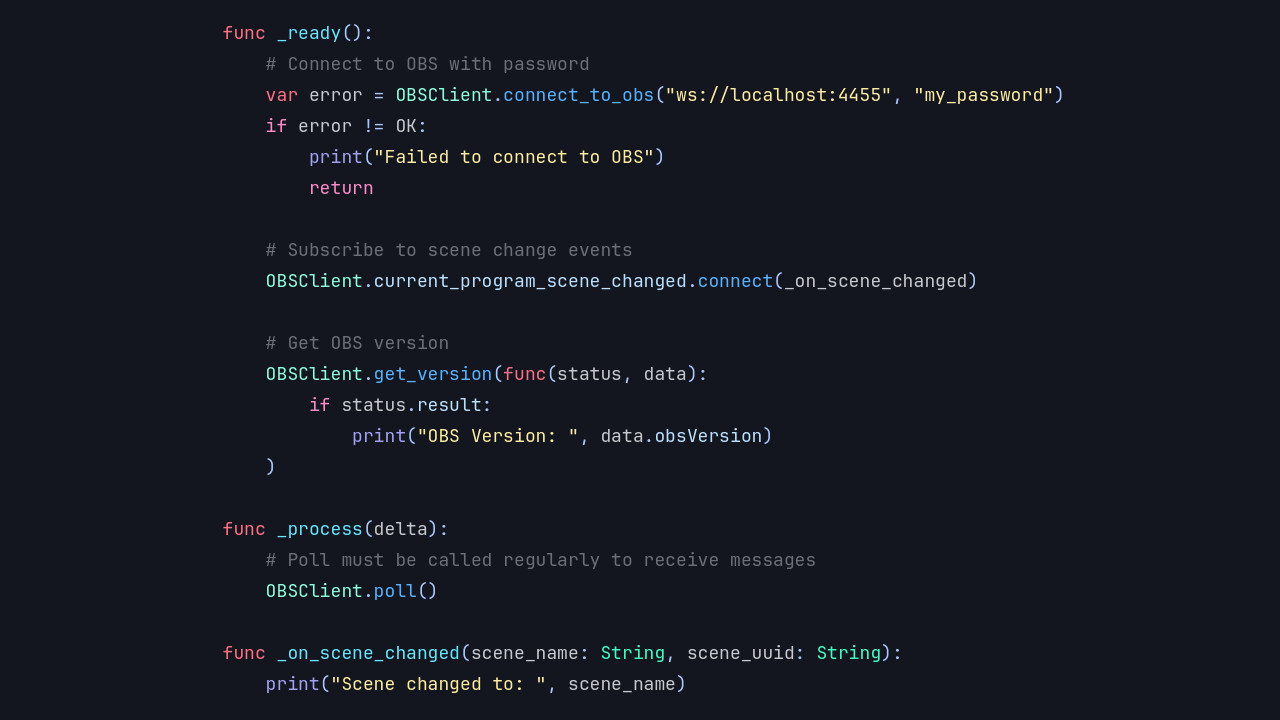
Blazium Game Engine adds integration with OBS Studio through the OBS Client module. This module lets you connect directly to a running instance of OBS Studio (via its WebSocket protocol) and control virtually every aspect of your streaming or recording setup from within your Blazium project.
The module provides the OBSClient class, which you can use as a singleton or instantiate as needed. It offers a
complete set of tools to manage connections, scenes, sources, streaming, recording, and more, all accessible through
simple method calls and a rich signal system in GDScript or C#.
Key Features
- OBS Connection: Connect to OBS Studio with authentication support and real-time connection state tracking (disconnected, connecting, identifying, connected).
- Scene & Source Management: Get scene lists, switch between program and preview scenes, create/remove scenes, manage scene items (position, visibility, transform, filters), and control inputs/sources (volume, mute, settings).
- Streaming & Recording Control: Start, stop, pause, or toggle streaming and recording. Manage replay buffer, virtual camera, record file splitting, and chapters.
- Event Subscriptions: Subscribe to a wide range of OBS events (scenes, inputs, transitions, outputs, media, UI, etc.) and receive real-time updates via signals.
- Request System: Send individual or batched requests to OBS with optional callbacks for version info, stats, custom actions, and more.
- Media & Studio Features: Control media playback, toggle studio mode, open projectors, and handle filters or transitions dynamically.
Everything reacts through Blazium's familiar signal system, making it easy to update your in-game UI, trigger events, or automate your broadcast workflow.
Possible Uses in Games and Applications
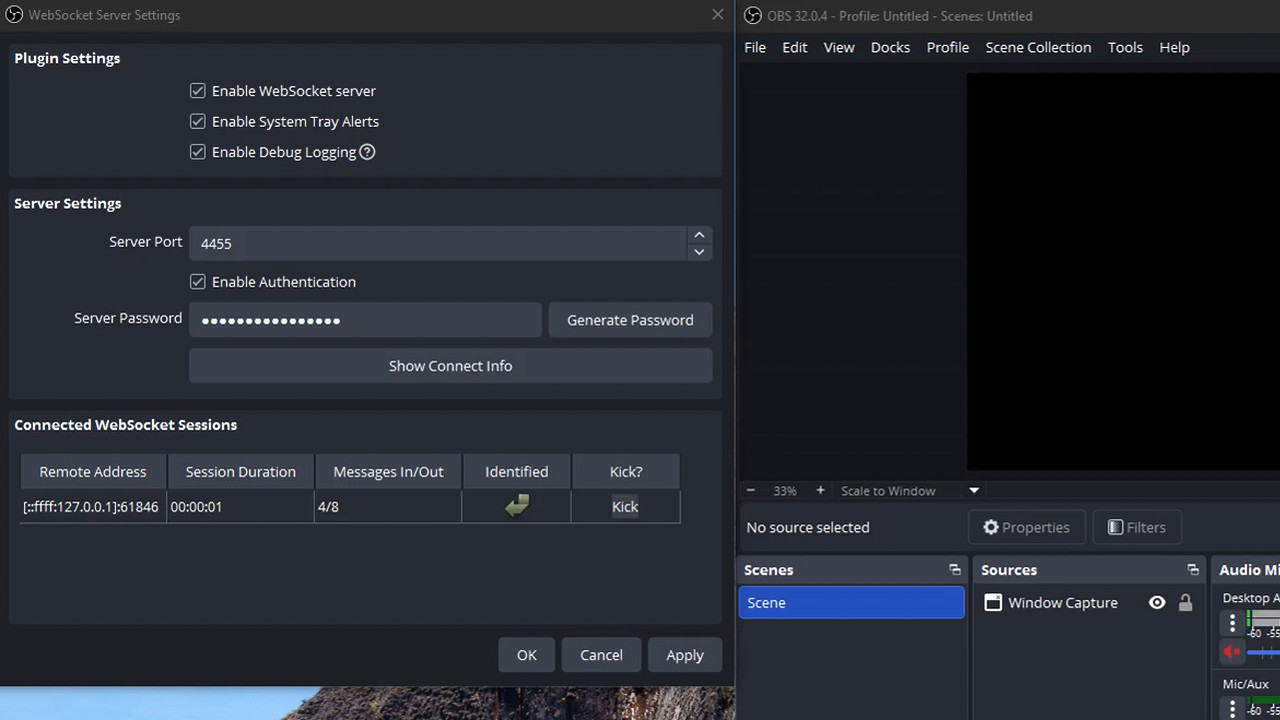
The OBS Client module is especially valuable for content creators, streamers, and interactive experiences:
For Games
- Live streaming integration: Automatically switch scenes, show/hide game elements, or adjust overlays based on in-game events.
- Interactive streaming experiences: Let viewers influence the stream (e.g., change scenes, trigger effects, or control media) through your game's logic.
- Debug & development overlays: Display real-time game stats, performance metrics, or debug info directly in your OBS scene while testing.
- Automated broadcast tools: Create games that manage their own streaming setup, such as starting/stopping recording during key moments or chapters.
For Applications & Tools
- Build custom streaming dashboards, remote controllers, or automation tools entirely in Blazium.
- Create companion apps that monitor and control OBS Studio for multi-PC setups, virtual productions, or live events.
- Develop interactive installations or tools that combine game-like interfaces with professional broadcasting features.
Documentation & Next Steps
The module is already available in the latest release of Blazium and includes a dedicated test project (see obsclient_module_tests for examples).
For full technical details head over to the official Blazium Documentation at docs.blazium.app.
With the OBS Client module, Blazium makes it straightforward to bridge your games and tools with professional streaming workflows.
Jump into our Discord for real-time chats, dev support and feedback
Or follow us everywhere else: